















Taking great photos of your vehicles is key to making them stand out.
In this guide, we’ll share some easy tips to help you get the best possible images of your vehicles. Follow these tips to make your inventory look amazing online, attract more buyers, and boost your sales.
Let’s get started!
Staging the vehicle
Sun position
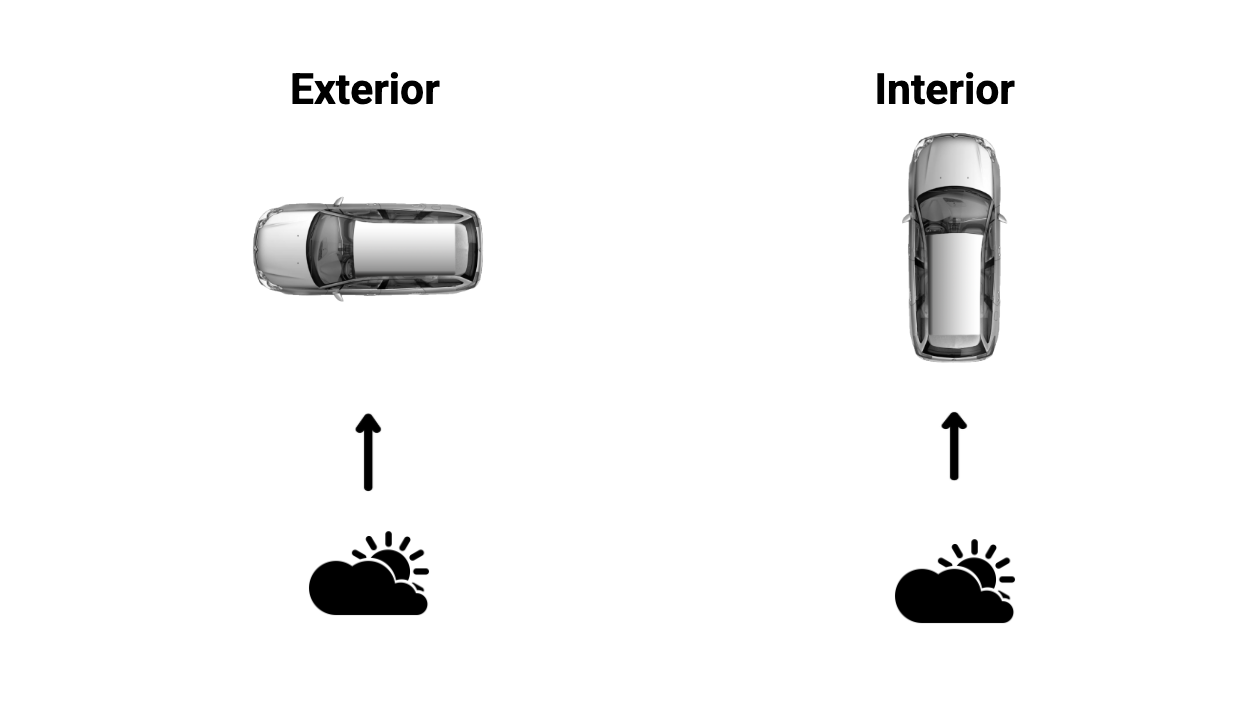
Exterior
For the best lighting, position the vehicle so the side you’re photographing faces the sun. For example, if you’re capturing the driver’s side, make sure the sun is shining directly on it. Take all exterior shots with the vehicle positioned this way. If you’re photographing both sides of the vehicle, be sure to rotate the vehicle 180° before capturing the opposite side.
Interior
When photographing the interior, turn the vehicle so the sun is behind it. This will cast shade inside the vehicle, giving you even lighting across the interior. Both positions help avoid photographing directly into the sun.
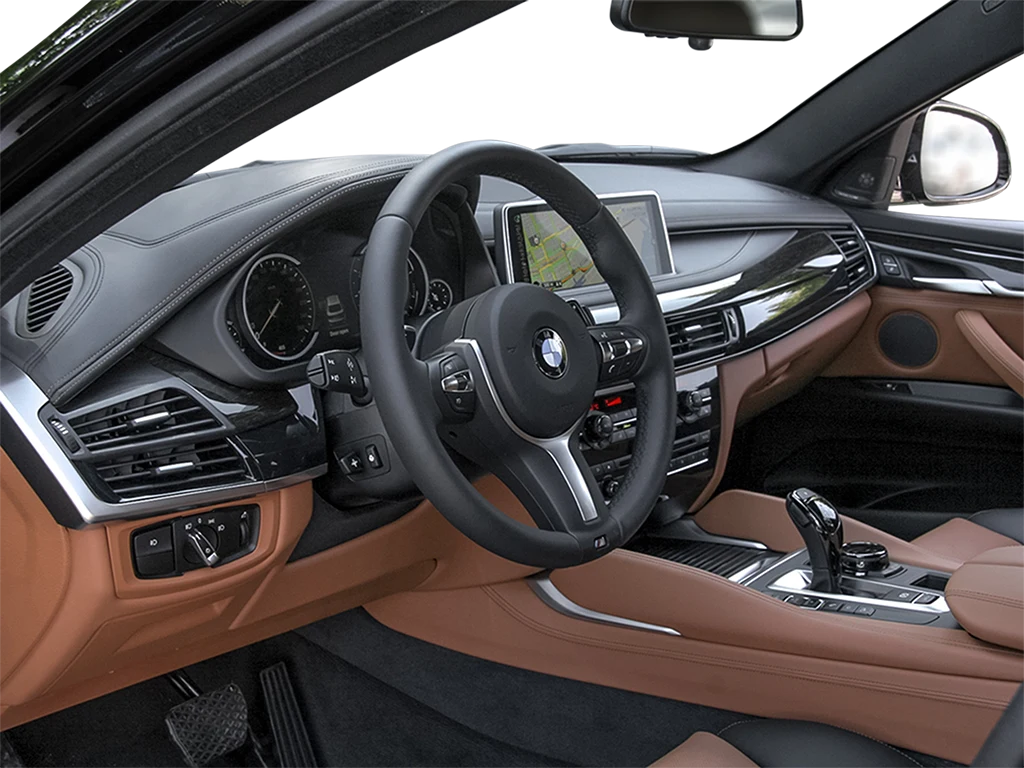
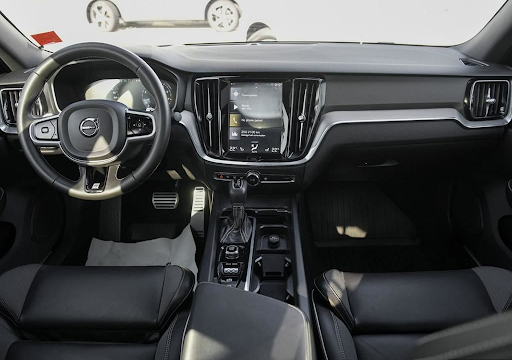
Straight steering wheel
A straight steering wheel is a small detail that makes the vehicle look new or untouched. Like a freshly-painted white room, a straight steering wheel gives the impression of a blank canvas, making it more appealing to buyers.
Remove paper floor mats
Paper floor mats make a vehicle look cluttered and poorly maintained. Removing them before photographing helps the car look clean and nearly new.
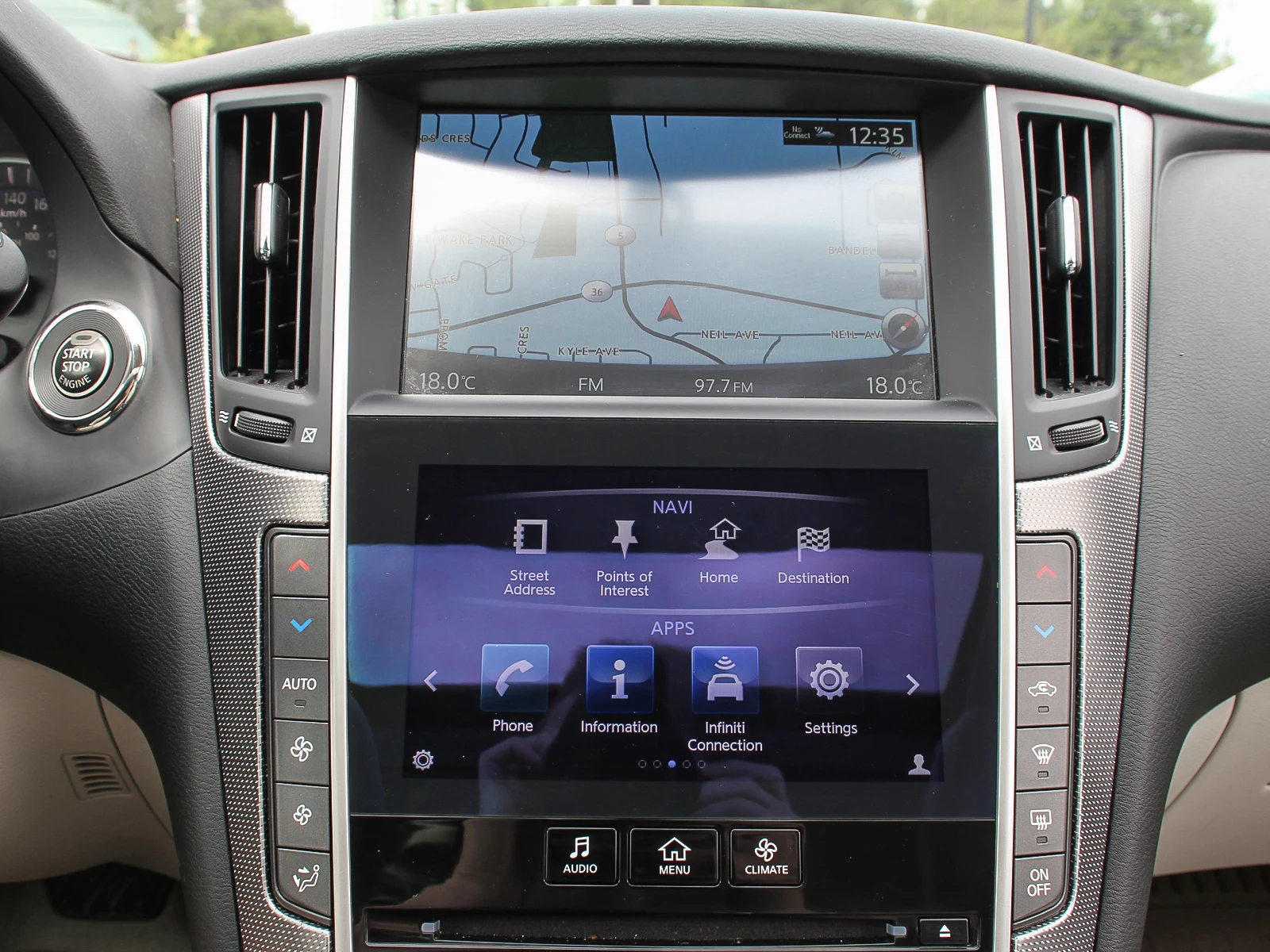
Turn on navigation
Navigation is a popular feature and can be easily missed in photos. Turn on the navigation system before taking any photos and keep it on throughout the capture process to make sure it stands out in the images.
The capture process
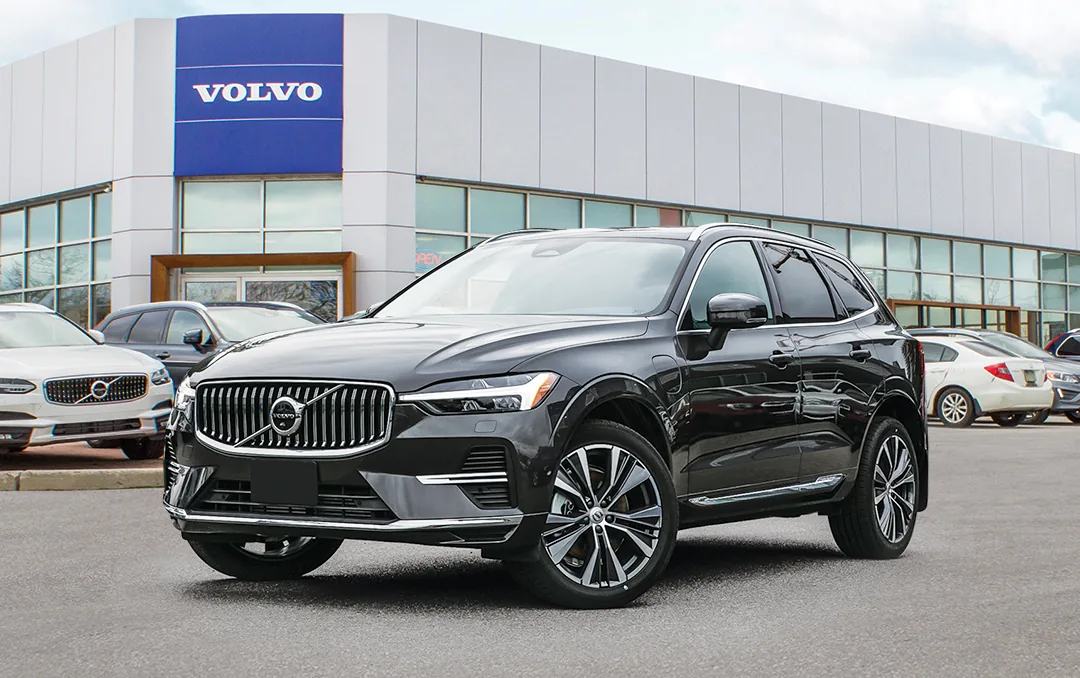
Location, location, location
While positioning the vehicle for optimal sunlight, choose a location that highlights the dealership’s brand or building.
Avoid areas with cluttered backgrounds or distractions, such as a competitor’s buildings, fast-food chains, or off-make vehicles.
Alternatively, use an image solution like AV Premium Capture that includes background replacement options, to remove any unwanted elements from your image background – now available with cost-efficient AI editing.
Consistency
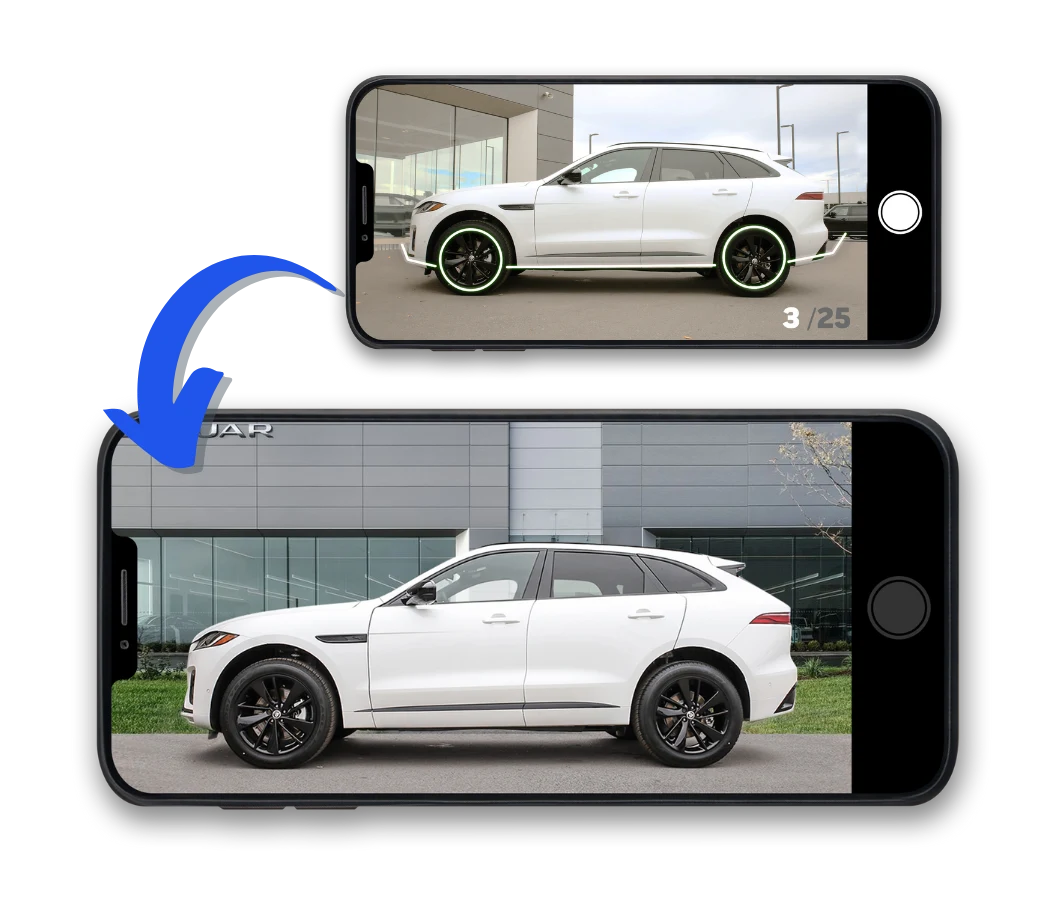
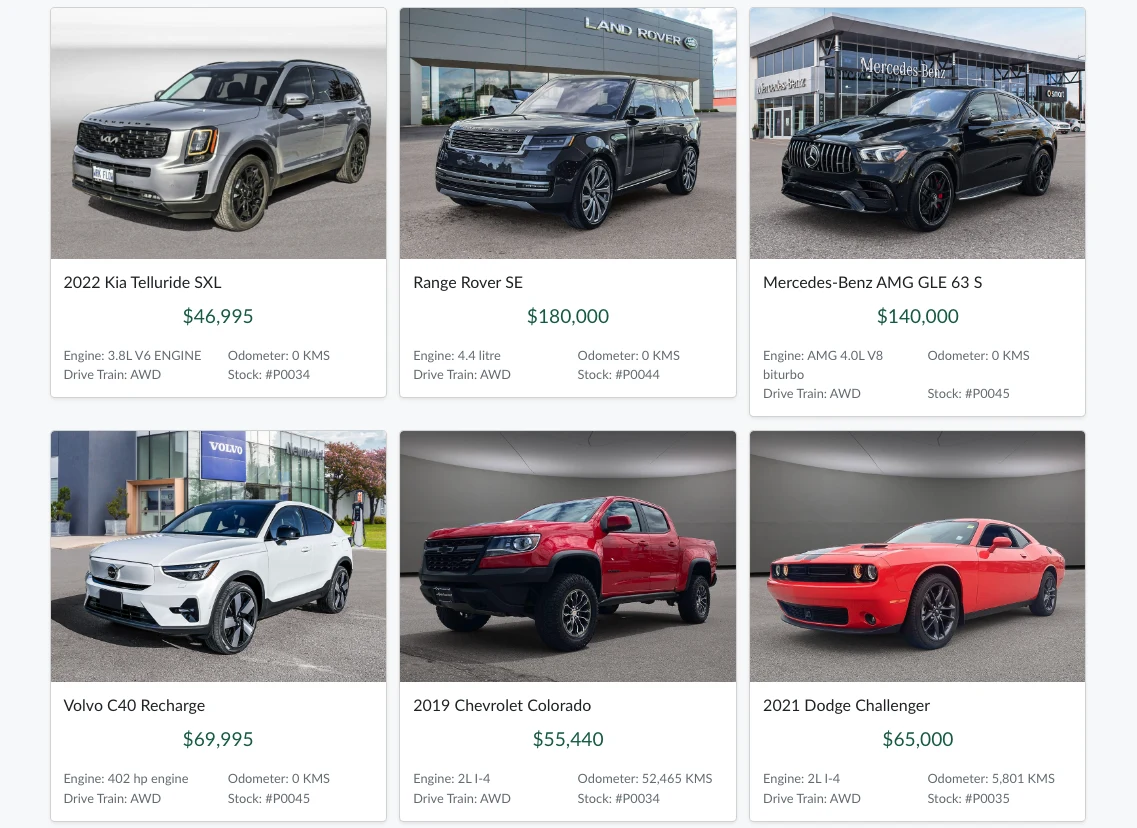
A consistent set of photos benefits both customers and staff. It allows buyers to easily compare vehicles and their features, while helping staff memorize the capture process and photograph newly acquired inventory quickly.
We recommend creating a capture guide for your team. This can serve as a reference for current employees and a training tool for new hires, ensuring everyone follows the same process for consistency and quality.
Capture services like AV Premium Capture to automate the workflow and ensure consistency without the need for extra oversight from your team.
Brand compliance
If you’re a franchised dealer, it’s important to follow the branding standards set by your OEM. AutoVerify can assist in ensuring your images are brand compliant with uniform capture plans, background replacement, and logo overlays that match your brand’s requirements
The editing process
Image touch-ups
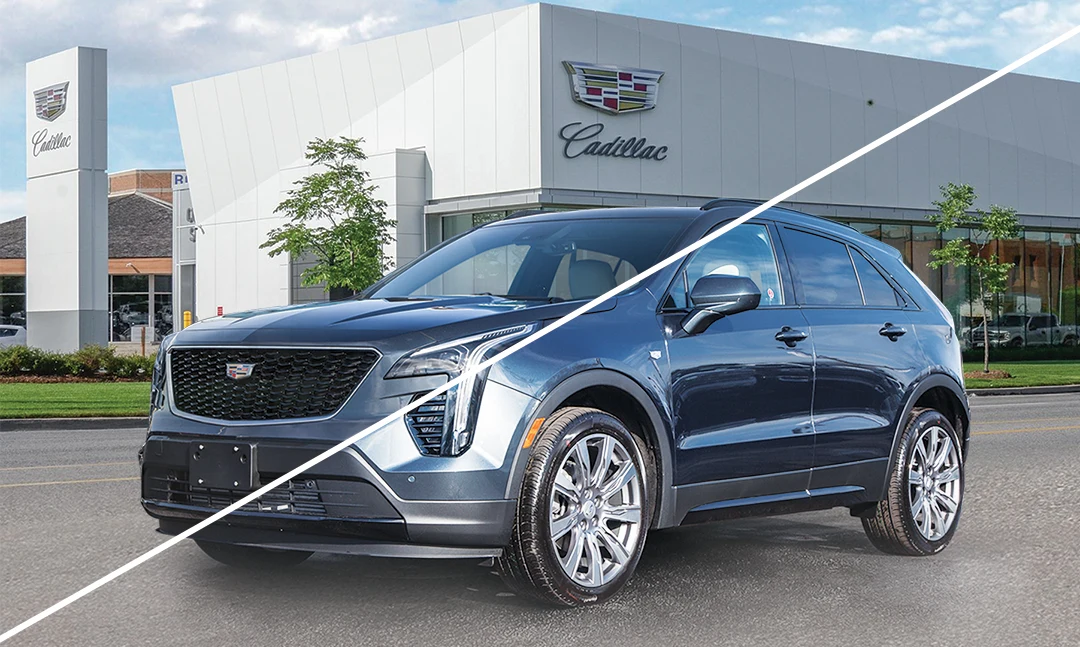
Simple enhancements like image sharpening can significantly improve your images. AV Premium Capture with AI editing ensures you get the power of AI while continuing to receive these simple enhancements to maintain your inventory’s professional appearance.
For the highest quality it’s also important to fine-tune the exposure and colour to present vehicles with accurate and vibrant detail. Thanks to our team of expert human editors, these adjustments come standard with AV Premium Capture, making it easy to achieve polished, high-quality results.
Two editing options
AV Premium Capture offers two editing options: dealers can choose to have their images edited by our team of experts, or by AI (with human oversight).
Logo application
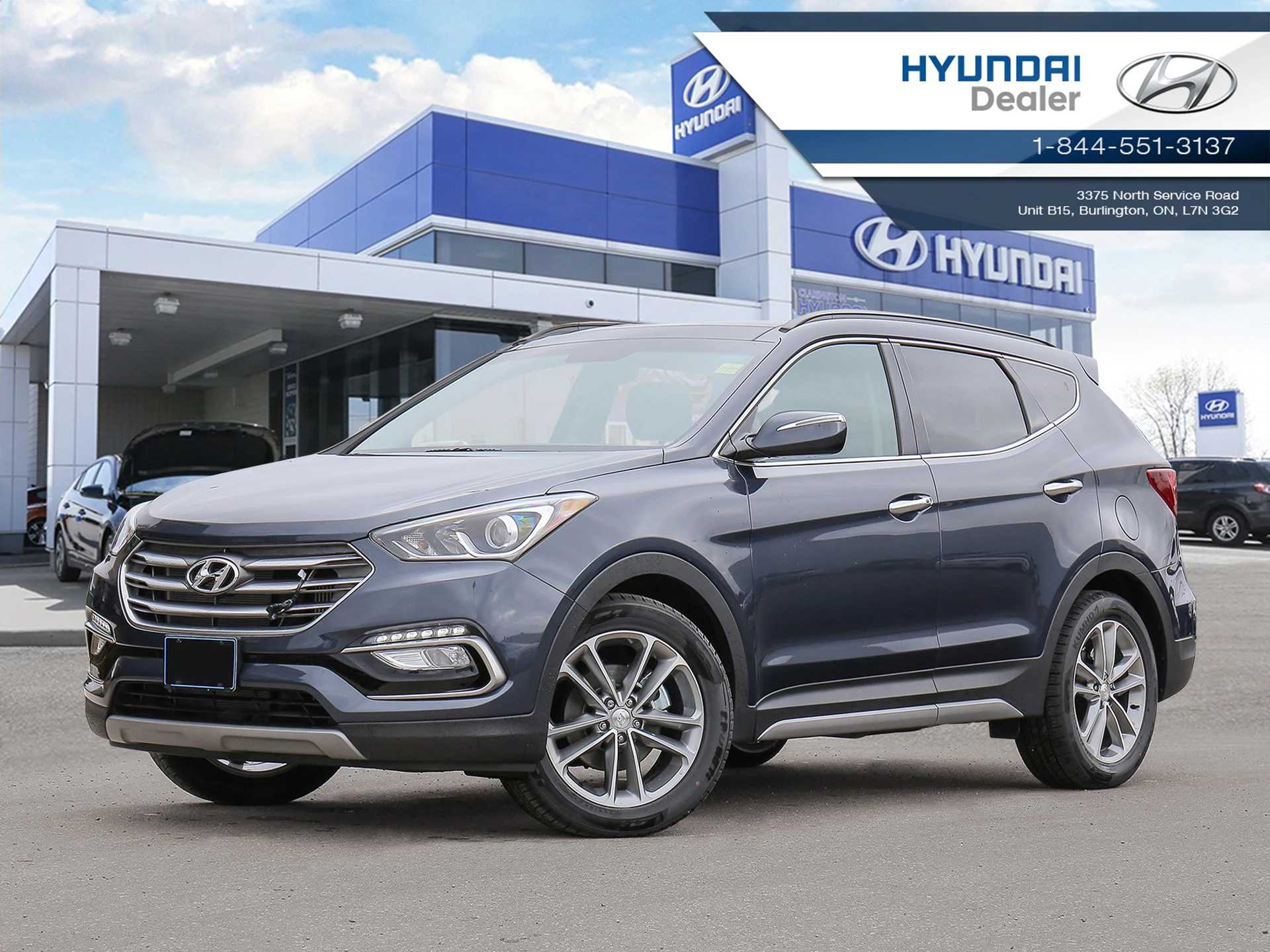
Adding your dealership name and logo to your images is a great way to make them easily recognizable by customers on third-party marketplaces.
Partnering with an OEM-certified company like AutoVerify ensures your images stay brand-compliant, removing one more task from your team’s plates.
Taking great photos doesn’t have to be hard. A little care goes a long way. Clean up the car, find good lighting, and follow the same steps each time. This helps your vehicles look their best online and brings more shoppers to your store.
Want to make things even easier? AV Premium Capture can do the work for you with pro edits, clean backgrounds, and brand-ready images every time.
Better photos. Less hassle. More sales.
Request a demo to check out AV Premium Capture.